1. Overview
1.1 Service Capabilities
ToMoviee Image Repaint is designed to tackle common challenges in image editing. Leveraging AI-powered smart location technology and semantic analysis, it enables precise, targeted content replacement within images. You simply outline an area within an image and describe what you want. The system will then automatically replace the selected elements and seamlessly blend them with the background, eliminating the need for tedious manual cutouts and retouching required by conventional Photoshop workflows.
1.2 Sample Prompts and Outputs
|
Promot |
Input Image |
Output Image |
Use Case |
|
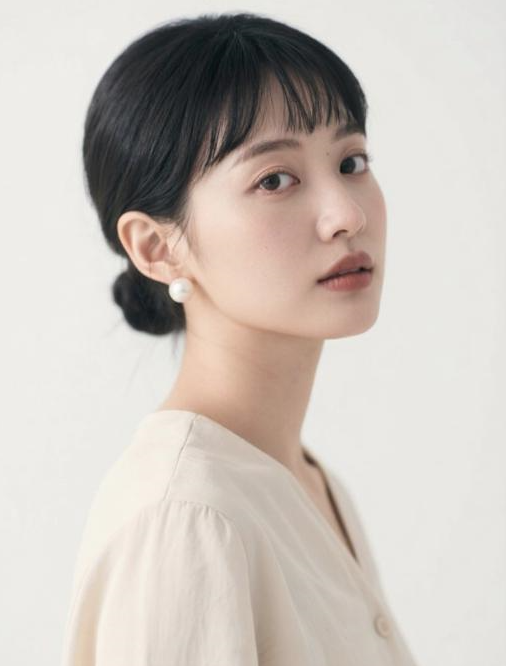
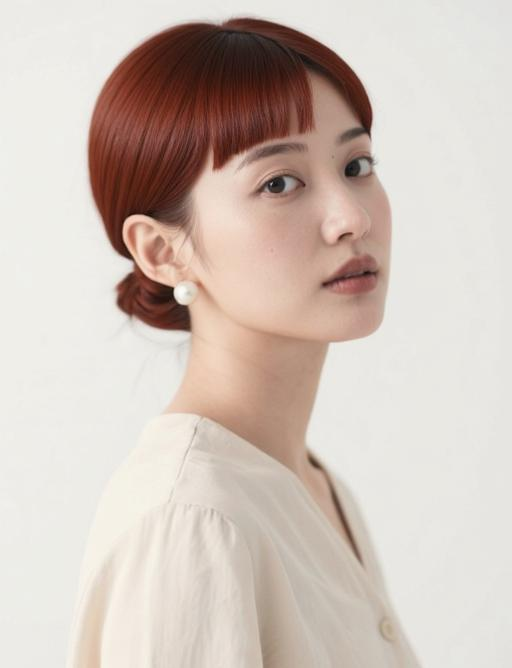
Change hair color to red for a clean and stylish look. |
|
|
Hairstyle repaint |
|
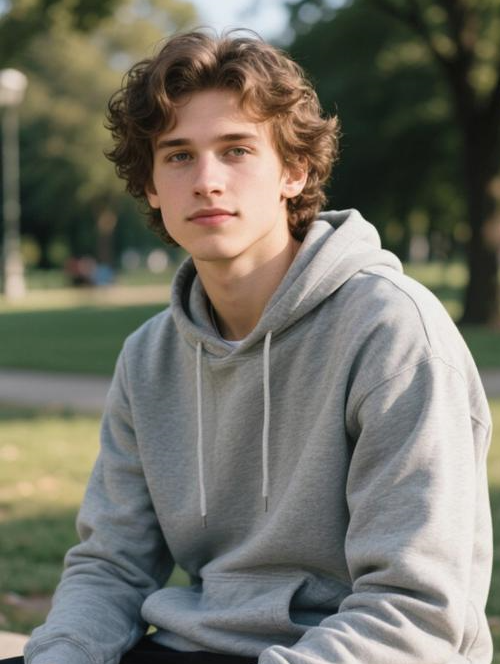
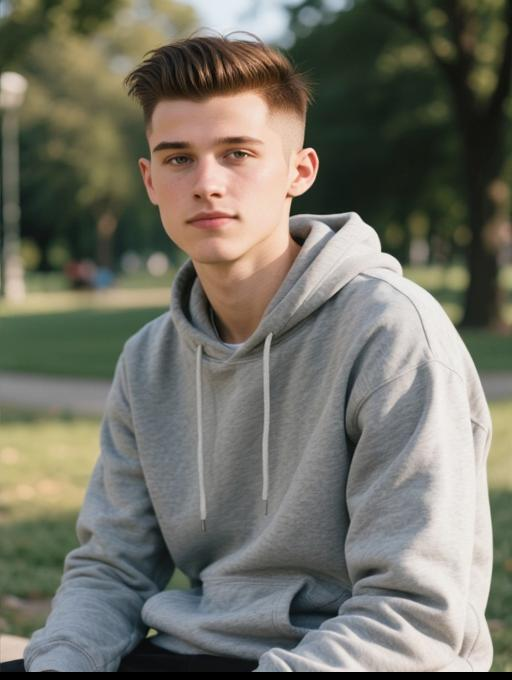
Change hairstyle to a classic slicked-back style: clean hairline, neatly combed top, and short faded sides for a crisp, polished appearance. |
|
|
Hairstyle repaint |
|
Replace the poster title “COME WORK” with “WANT YOU” |
|
|
Text repaint |
|
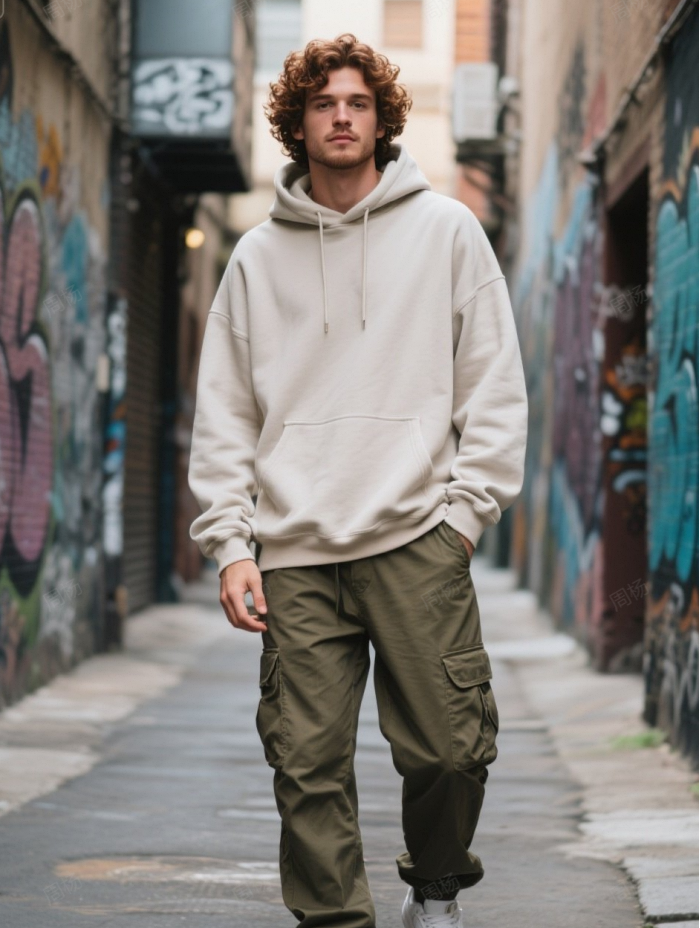
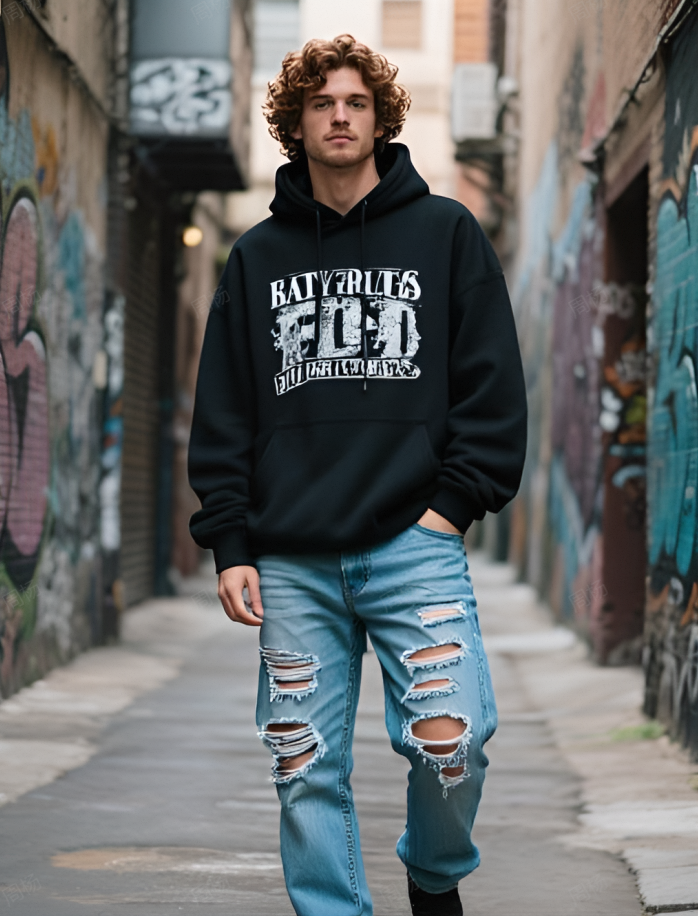
Apply a streetwear hip-hop look: oversized black graffiti hoodie paired with ripped, washed denim jeans. |
|
|
Outfit swap |


2. Prompt Engine
|
Prompt = Original Text Locating + New Text Content + Style Instructions + Environmental Blending Requirements
|
3. API Requests
3.1 Request URL
https://open-api.wondershare.cc/v1/open/capacity/application/tm_redrawing
3.2 Request Parameters
Method: POST
Headers
|
Parameter Name |
Value |
Required |
Example |
Description |
|
Content-Type |
application/json |
Yes |
|
|
|
Authorization |
|
Yes |
Basic xxx |
Security verification information, in the format of Basic {access_token}, where access_token is a token, generated using the given app_key and app_crit, with the generation method being base64 (app_key: app_crit) |
|
X-App-Key |
|
Assigned appkey |
body:
|
Parameter Name |
Type |
Required |
Default Value |
Description |
Other Info |
|
callback |
string |
No |
|
Callback URL for algorithm results. For example, http://www.wondershare.cn/fx. |
|
|
params |
string |
No |
|
透明参数 |
|
|
prompt |
string |
Yes |
|
Positive prompt. |
|
|
init_image |
string |
Yes |
|
URL of the image to be edited. Supported format: JPG or PNG. |
|
|
mask_url |
string |
No |
|
URL of the mask image, which must match the resolution of the original image. Supported format: JPG or PNG. |
|
3.3 Response
|
Parameter Name |
Type |
Required |
Default Value |
Description |
Other Info |
|
code |
number |
Yes |
|
Error code. |
|
|
msg |
string |
Yes |
|
Error message. |
|
|
data |
object |
No |
|
|